

AI Website Builder for WordPress
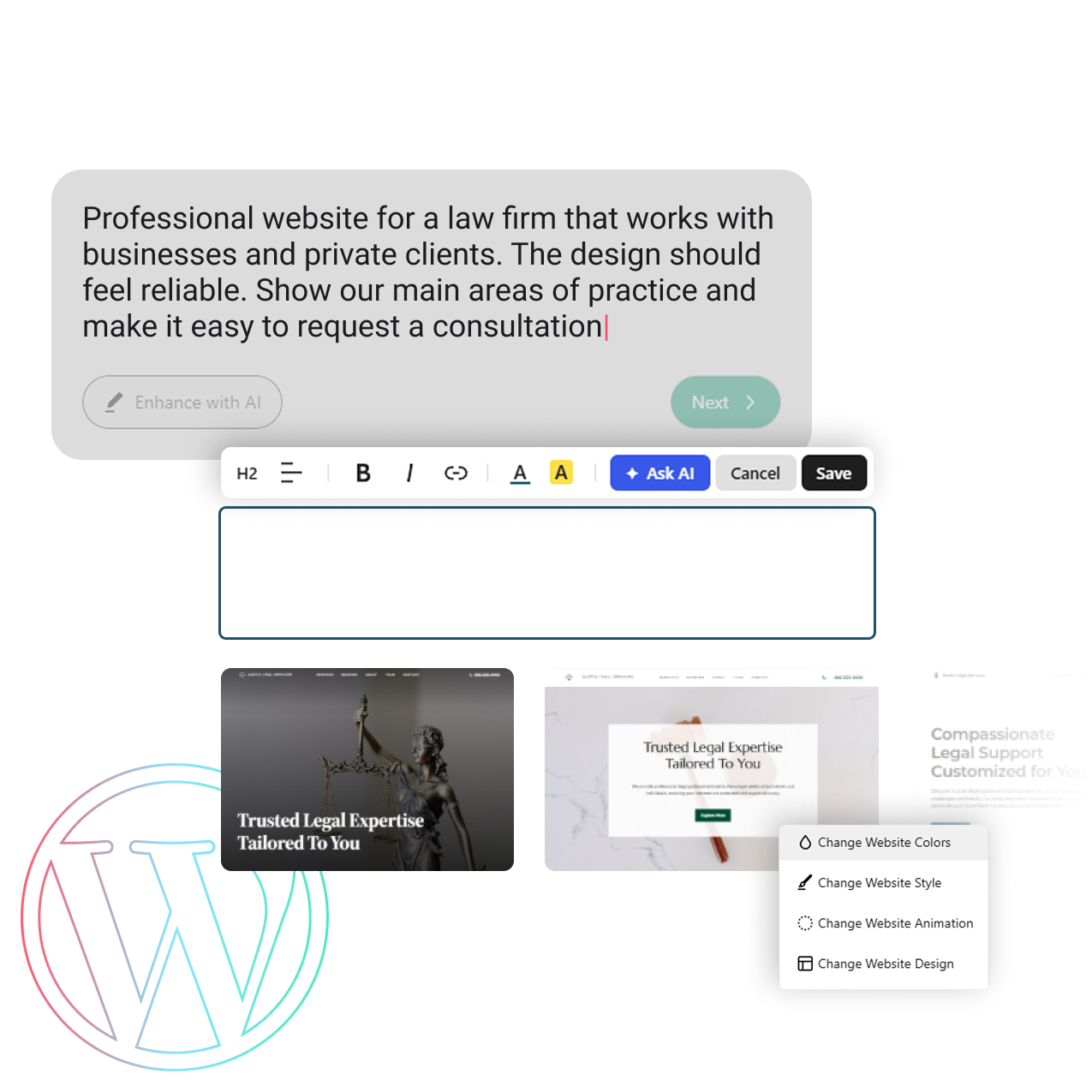
Create a ready-to-edit WordPress website from a short description. Antihost handles the WordPress setup and hosting, so you can focus on building your site.
No Coding
_> Easy Setup
Easy Editing
_> Built in WordPress
Your Idea, Live
_> Powered by AI
All in One Place
_> Hosting Included
See What You Can Create
Explore WordPress websites created from short business descriptions and customized for different goals.

Dental Clinic
Generated from a short brief for a dental clinic that needed easy way for patients to get in touch.

Legal Services
Based on an idea for a law firm that needed to present its services clearly and help clients get in touch.

Interior Design Studio
Created from information about a designer who wanted to showcase projects and attract new clients.


Responsibility Matrix
The platform layer is ours. The application layer is yours. Stability depends on both.

- _> Plan every page manually
- _> Write each section from a blank page
- _> Install WordPress and configure the initial setup
- _> Choose and connect hosting separately

- _* Start with a suggested page structure
- _* Begin with AI-generated starter content
- _* WordPress is prepared through Antihost
- _* Website creation and hosting stay in one account
Choose the Right Setup
Both options include one WordPress website, AI-assisted website creation, and Antihost hosting. Choose based on the storage and bandwidth you need.
Standart 1
For websites with less images, content, and growing traffic.
- 1 WordPress install
- AI Website Builder
- 5 GB Storage
- 20 GB Monthly Bandwidth
- Standard support
$3.40/Monthper month
Standart 2
For websites with more images, content, and growing traffic.
- 1 WordPress install
- AI Website Builder
- 10 GB Storage
- 40 GB Monthly Bandwidth
- Standard support
$6.13/Monthper month
Frequently Asked Questions
Can’t find what you’re looking for?
Yes. WordPress is software that needs a server environment to run. Hosting provides the infrastructure for storing your website files, database, and runtime.
You can run WordPress locally on your computer for development, but a public website requires hosting. Without hosting, your site will not be accessible online.
WordPress hosting is a server environment configured specifically for WordPress. It typically includes optimized PHP settings, database configuration, caching, and security controls designed for WordPress workloads.
Look beyond marketing claims. Evaluate:
- Infrastructure architecture
- Resource transparency (CPU, RAM, I/O limits)
- Backup and recovery policies
- Security controls
- Incident response process
Reliable hosting is defined by operational clarity, not benchmark numbers.
Security depends on how the infrastructure is designed and maintained. A secure WordPress hosting environment includes isolation, regular updates, firewall configuration, monitoring, and defined incident response procedures.
Migration typically involves transferring files and databases, updating DNS records, and validating configuration in the new environment. Many providers offer assisted migration to reduce downtime and configuration errors.
Yes, if the hosting environment provides predictable performance, clear backup policies, and scalable options. Small businesses benefit from stability and clarity of support rather than “unlimited” claims.